
Create an active segment
Build a self-updating audience with filters, AND/OR logic and a description.
Purpose and outcome
Why it matters. Active segments keep audiences current as new registrations arrive, so you don’t rebuild lists before every send.
Expected outcome. A named, described, active contact segment whose sample members you have checked.
When to use it
- Any audience defined by rules: community interest, rating, location, engagement.
Prerequisites and access
- Permission to create segments.
- Known property names and values (see Needs confirmation).
Suggested roles (not yet approved): Marketing Coordinator, Marketing Reviewer (spot-check)
Instructions
- 1
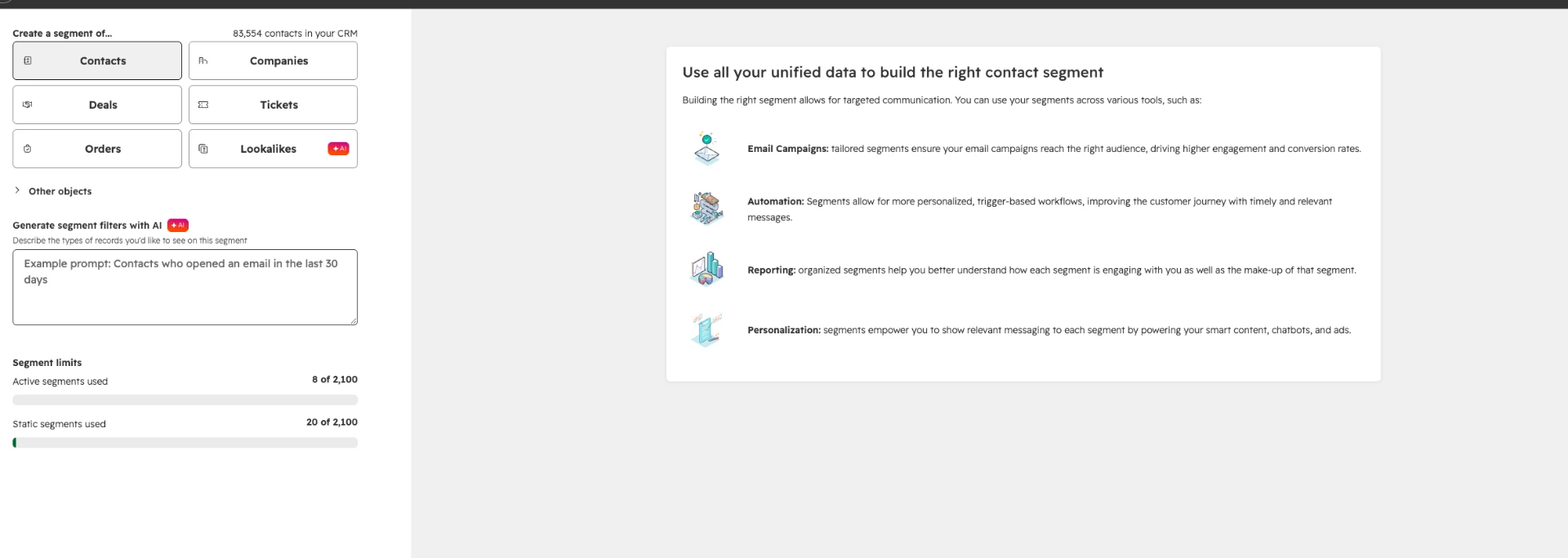
Go to Segments and choose Create segment.
From training· ~22:00 - 2
Select Contacts as the object, then Next.
From training· ~22:30 - 3
Name the segment using the naming convention, e.g. “Realtors | Email known | Active”.
Recommended practice - 4
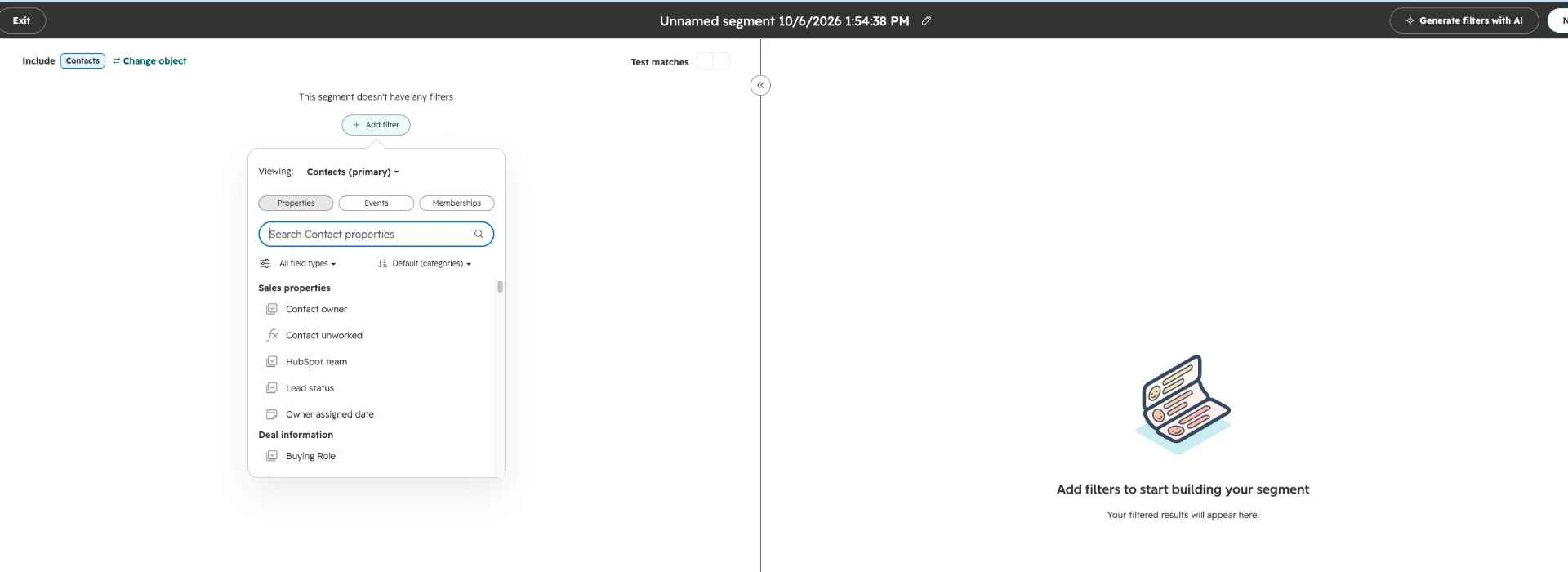
Add your first filter, e.g. Rating is any of [Realtor value].
From training· ~23:00 - 5
Add more filters with AND (all must be true) or a new OR group (either group can be true).
Recommended practice - 6
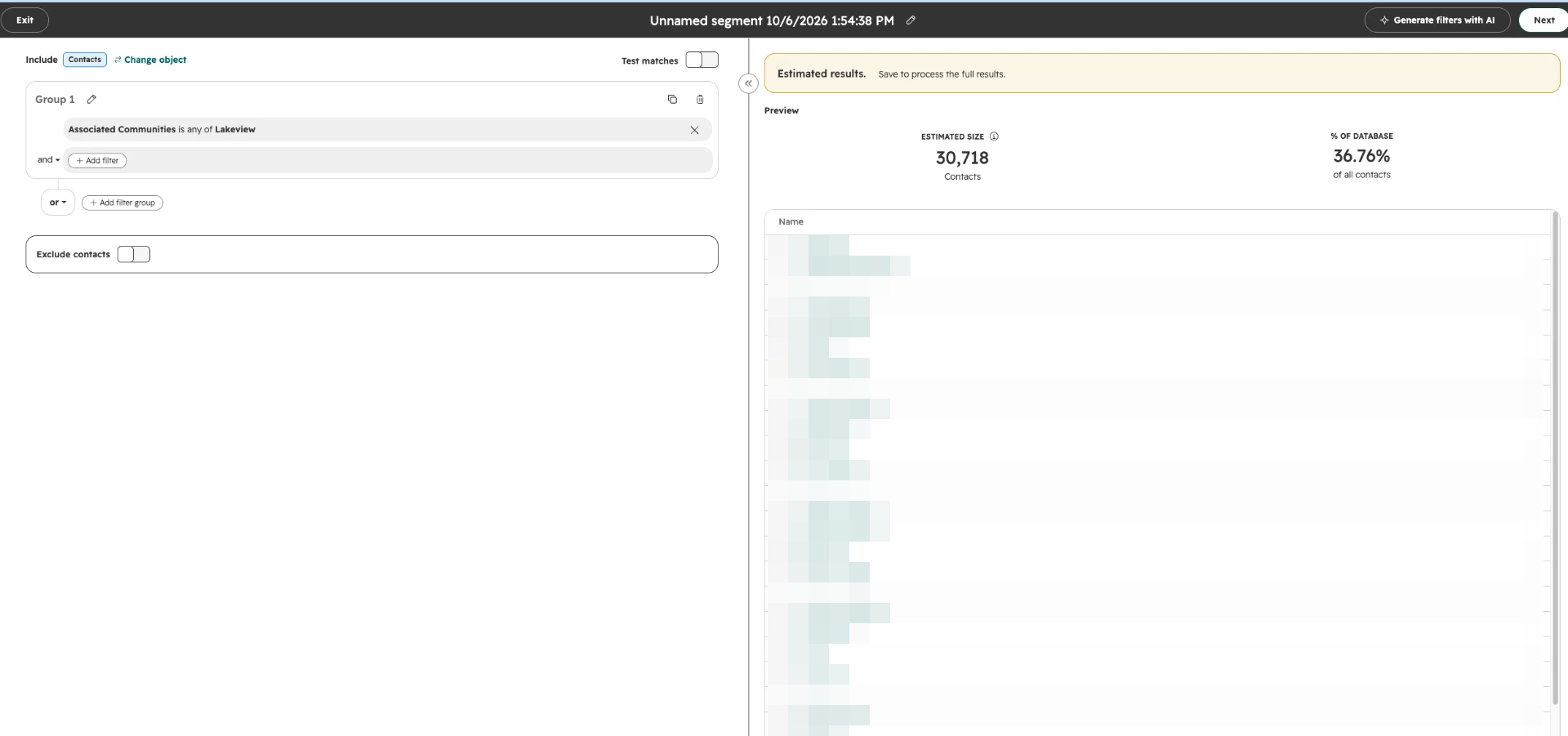
Review the count and open several sample contacts to confirm they belong.
Recommended practice - 7
Choose Active as the segment type.
From training· ~24:30 - 8
Add a short description saying who is included and why.
HubSpot can suggest a description with AI. Read it before saving.
From training· ~24:45 - 9
Save and process the segment.
From training· ~25:00 - 10
Reopen it after processing and check membership looks right.
Recommended practice
Training recipes
These were built during the training. Confirm the exact dropdown values in Caivan’s account before copying them.
| Segment | Filters |
|---|---|
| Realtors | Rating is any of [Realtor value] AND Email is known |
| Purchasers | Rating is any of [Purchaser value] (Email is known was also added in training) |
| Lakeview audience | Associated Communities is any of Lakeview AND Email is known |
“Email is known” is not permission
This filter only confirms an address is stored. Whether the person can receive the email depends on subscription status, marketing contact status and suppression (SOP 18).
Caivan example
You build “Lakeview | Prospects | Active” with Associated Communities includes Lakeview AND Email is known, add the description “Contacts interested in Lakeview who have an email address”, and spot-check five records.
Contacts who list Lakeview in Associated Communities and have a known email address. Active; updates automatically.
Completion checklist
Common mistakes and troubleshooting
Count is zero.
Check the property value spelling, whether you used AND where you meant OR, and whether the segment has finished processing.
Count is far larger than expected.
You may have used OR between filters. Check grouping.
Realtor value isn’t in the Rating dropdown.
The label may differ from training. Ask a CRM Administrator for the current values.
Count is zero. Check the property value spelling, whether you used AND where you meant OR, and whether the segment has finished processing.
Count is far larger than expected. You may have used OR between filters. Check grouping.
Realtor value isn’t in the Rating dropdown. The label may differ from training. Ask a CRM Administrator for the current values.
Sources and items needing confirmation
- From training· ~20:10–27:47Caivan | HubSpot Marketing Training, Sep 28, 2026 (recording transcript)
- Recommended practiceHubSpot Knowledge Base: Create segments
- Exact Rating values for realtors and purchasers.
- Exact Associated Communities values.
Account configuration described in training reflects September 28, 2026 and may have changed.